
Pergola quoting guide
How to quote a pergola. From first brief to accepted order.
A useful pergola quote connects the site, an approved product and a controlled price. Follow seven steps to keep customer choices, commercial terms and installation handoff in the same project record.
Map your quoting workflow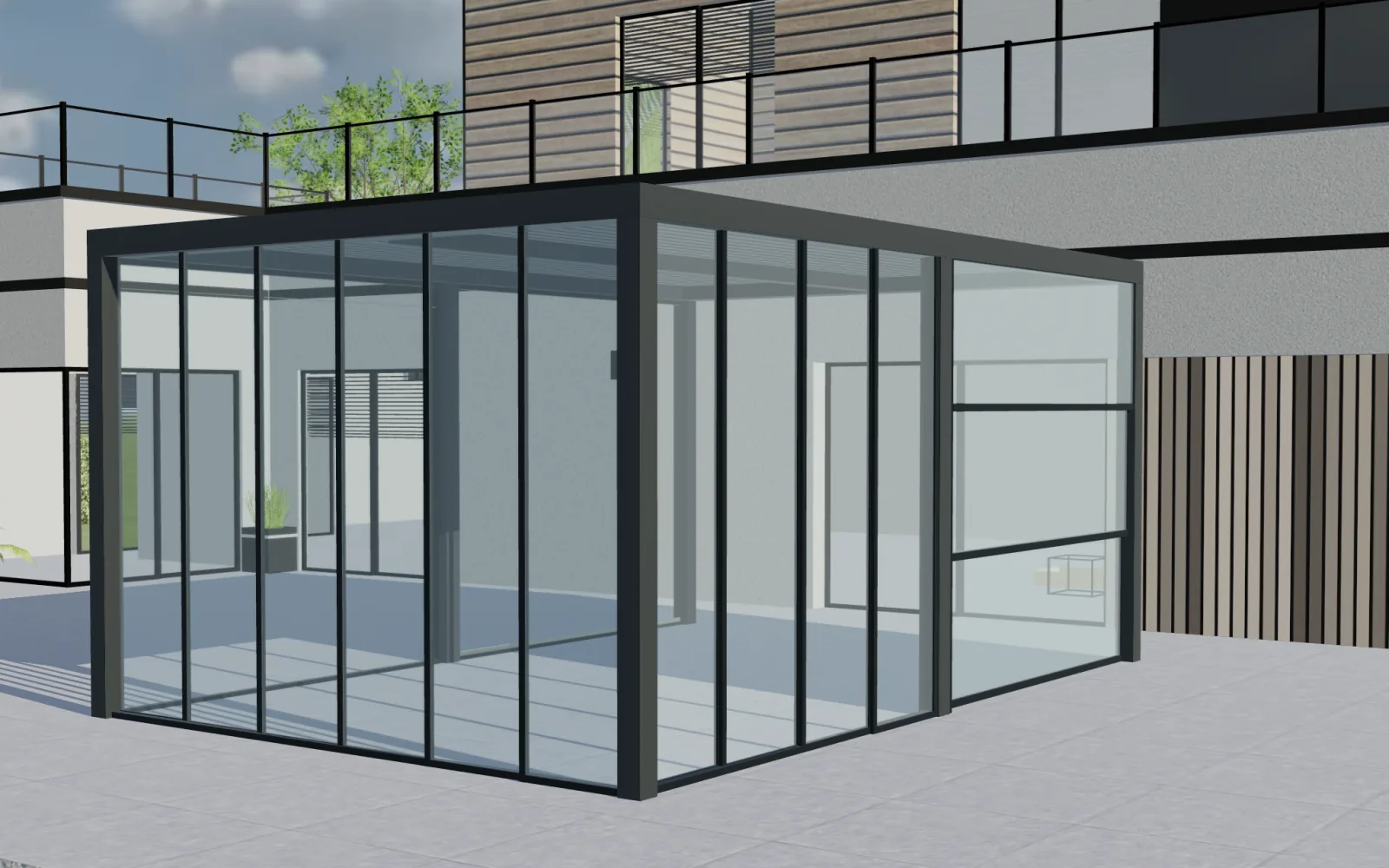
Measure the real site
Capture structure, clearances, mounting, drainage and access. Record assumptions that still need a survey or technical review.
Use approved product rules
Keep catalogue limits and permitted combinations explicit. Give nonstandard projects a review owner before a price becomes a commitment.
Keep one project record
Connect the design, price, quote, revision and accepted handoff so sales and operations can identify the same version.
Seven steps to a traceable pergola quote
Use these steps to connect the initial enquiry to the accepted design. A commercial quote still needs the agreed site survey and technical checks before an order is released.
Step 01
Qualify the project before measuring
Confirm the customer's objective, product family, site type, target timing and decision process before investing in a detailed design.
- Ask whether the pergola is for shade, rain protection, seasonal enclosure or a complete outdoor room.
- Clarify wall-mounted or freestanding preference, approximate footprint and the need for screens, glass, lighting or heating.
- Identify the property owner, other decision-makers and any planning, landlord or homeowners-association constraints.
Project record
A qualified brief with contact details, intended use, approximate size and agreed next step.
Step 02
Capture the site conditions
Record the measurements and constraints that influence structure, attachment, drainage, access and installation—not only width and projection.
- Measure available width, projection, front height, wall height and relevant level differences.
- Record the mounting surface, doors, windows, downpipes, utilities, roof edges and required clearances.
- Photograph the full elevation, both sides, the ground condition, access route and electrical-supply location.
Project record
A traceable site survey or pre-survey record with dimensions, photographs and assumptions.
Step 03
Select the correct pergola system
Match the project to an approved bioclimatic, retractable, fixed, attached, freestanding, multi-bay or wood system before adding options.
- Check the catalogue's minimums, maximums, span rules, post layouts and wall-connection requirements.
- Choose the roof principle and drainage arrangement that fit the intended use and site conditions.
- Escalate projects outside standard rules instead of forcing them into a standard quote.
Project record
A named product system, structural arrangement and list of items requiring technical validation.
Step 04
Configure dimensions and compatible options
Build the proposed pergola from the selected catalogue rules so every visible option remains connected to the product record.
- Set width, projection, height, bay count, post positions, roof zones and blade or fabric direction.
- Add compatible screens, sliding glass, fixed glazing, doors, lighting, heaters, sensors and control packages.
- Choose frame, roof and infill finishes from the price list and market included in the quote.
Project record
A saved configuration with a unique reference, visual preview and complete option list.
Step 05
Calculate the complete selling price
Combine the configured product with every commercial item required to deliver the project, using controlled formulas and approvals.
- Calculate structure, roof, closures, accessories and finish adjustments from the applicable price list.
- Add survey, engineering review, delivery, lifting equipment, electrical work, installation and waste removal where applicable.
- Apply tax, currency, margin, dealer price level and authorised discount rules; record exceptions and validity dates.
Project record
An itemised price with source rules, approval status, tax treatment and excluded work clearly identified.
Step 06
Prepare a proposal the customer can understand
Turn the selected design and controlled price into a clear branded quote that explains scope, assumptions and the next decision.
- Show the exact pergola system, dimensions, finish, roof, closures, comfort options and representative views.
- State the included survey, delivery and installation work as well as exclusions, lead-time assumptions, terms and quote validity.
- Provide a simple approval or enquiry action while preserving the configuration reference for future revisions.
Project record
A customer-ready quote linked to the same configuration used for visualisation and pricing.
Step 07
Control revisions and handoff
Keep later changes, approvals and technical validation attached to the project so sales and operations work from the same accepted version.
- When a dimension or option changes, update the configuration, price and proposal together and retain revision history.
- Confirm final site measurements and any structural or planning approvals before converting commercial data into an order.
- Send the accepted dimensions, selections, documents and scoped BOM or order data to the responsible supplier and installation team.
Project record
An approved project version with validation status, customer decision and operational handoff recorded.
What a complete pergola quote should explain
Present the selected product, included work, commercial commitment and outstanding checks in the order the customer needs them.
| Quote section | Information to include |
|---|---|
| Customer and project | Names, addresses, contact details, project reference, revision and quote date. |
| Configured pergola | System, dimensions, structural layout, roof, finish, closures, comfort options and representative views. |
| Price | Product and project charges, tax, total, currency, approved discount and optional alternatives. |
| Delivery and installation | Included survey, delivery, access, foundations, electrical work, installation and waste handling. |
| Commercial terms | Payment schedule, validity, anticipated timing, cancellation, warranty and customer responsibilities. |
| Validation and approval | Outstanding measurements or checks, assumptions, exclusions, next action and acceptance method. |
- Customer and project
- Names, addresses, contact details, project reference, revision and quote date.
- Configured pergola
- System, dimensions, structural layout, roof, finish, closures, comfort options and representative views.
- Price
- Product and project charges, tax, total, currency, approved discount and optional alternatives.
- Delivery and installation
- Included survey, delivery, access, foundations, electrical work, installation and waste handling.
- Commercial terms
- Payment schedule, validity, anticipated timing, cancellation, warranty and customer responsibilities.
- Validation and approval
- Outstanding measurements or checks, assumptions, exclusions, next action and acceptance method.
Avoid the gaps that create rework
Review the information behind the document, especially after the customer changes a dimension or an option.
Only measuring width and projection
Mounting, levels, doors, drainage, foundations, services and access can change the product or installation scope.
Pricing options separately from the design
Each visual choice should identify the exact commercial item or rule used in the price calculation.
Treating every project as standard
Projects outside catalogue limits need a visible review state and an owner, with exceptions recorded before price approval.
Overwriting the first quote
Keep revisions and approval status so the customer and operations team can identify the accepted configuration.
Using AR as technical validation
AR supports presentation. It does not replace measured site conditions or structural and installation checks.
Sending only a total price
Explain the configured product, included work, exclusions, terms and assumptions that define what the total covers.
Areas reviewed: 0/7
Custom software for manufacturers
A configurator up front. Your business connected behind it.
We specialize in complex, configurable and made-to-order products. We build custom software around your catalogue, calculations, permissions, sales process and factory workflows.
Custom software for the complete project
Configurix specializes in complex products. We build custom configurators and business software around your catalogue: lead qualification and CRM, calendars and appointments, approved pricing, branded quotes, materials and BOM, jobs, orders and invoicing. Integrations are scoped against the receiving system, data ownership and acceptance examples.
CRM and qualified leads
Capture the selected product, dimensions and options with each enquiry. Qualify by product fit, project requirements and commercial readiness, then assign the next action to the right salesperson.
New enquiry
What a complete pergola quote should explain
Product fitQualified
What a complete pergola quote should explain
RequirementsProposal
What a complete pergola quote should explain
Next actionCalendars and appointments
Let a configured project continue into a sales consultation, technical review, survey or installation appointment. Connect calendars, responsibilities and reminders to the same customer record.
- 09:00Project review
- 11:30Technical review
- 14:00Production planning
Bill of materials and factory data
Map product selections to component codes, quantities, materials and cut lengths. Build the sales or manufacturing BOM your team needs, with revisions and production review rules defined for your products.
| Component | Quantity |
|---|---|
| FRM-01Configured components | 1 |
| PNL-02Materials and quantities | 1 |
| KIT-03Agreed operations | 1 |
Mapped to your product codes
Live prices and branded quotes
Apply your own formulas, price lists, dealer margins and approval rules. Generate a quote containing the saved specification, product images, commercial terms and a clear customer approval step.
Quote revision
Orders, jobs and production
Carry accepted choices into order lines and assigned jobs. Keep product revisions, required approvals, documents and delivery tasks together so sales and the factory work from the same specification.
- Accepted quote01
- Configured order02
- Production job03
- Installation04
Invoicing and accounting
Connect accepted orders to deposits, invoice drafts, payment terms and your accounting workflow. Agree which system issues the invoice and how references and confirmed payment status return to the project.
What a complete pergola quote should explain
Built for your website. Connected to your systems.
Launch a branded configurator in your existing website or a custom sales portal. Connect CRM, ERP, PIM, ecommerce, calendars and accounting through available APIs, webhooks or agreed imports. We define the data, permissions and responsibilities for each connection with your team.
- 01Your website
- 02Configurator
- 03CRM & calendar
- 04ERP & accounting
Choose the workflows your implementation needs. We build and validate them against your products, documents and target systems.
Map your quoting workflowPergola quoting questions
Quote one real pergola with Configurix
Bring a product, price example and customer scenario. We will map the design, pricing and handoff included in your scope.