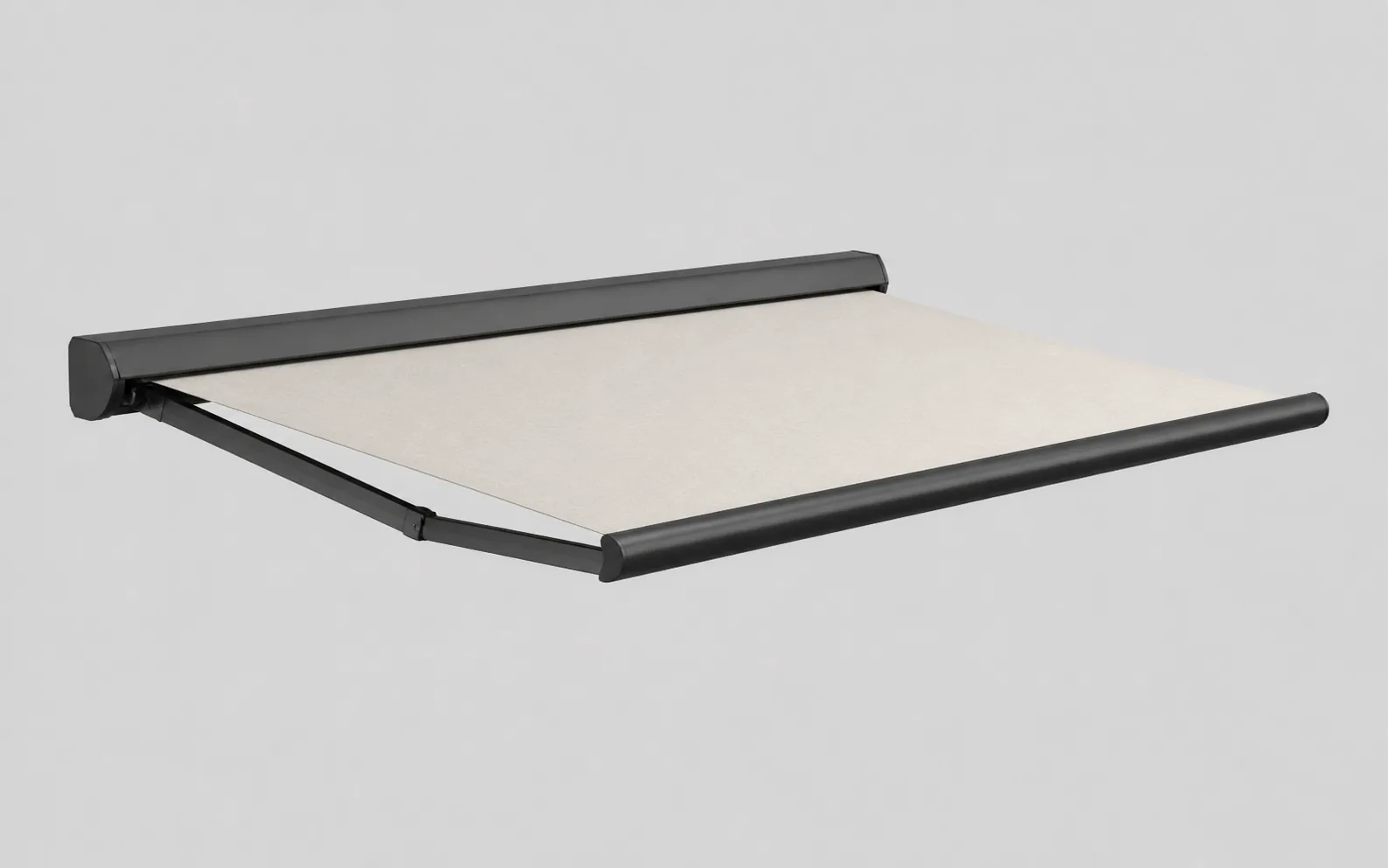
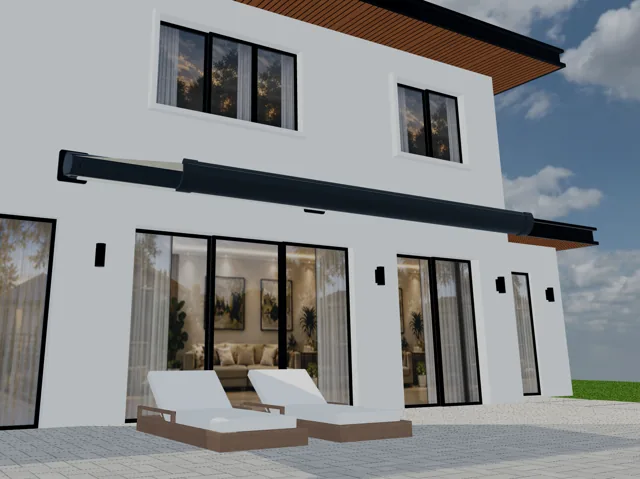
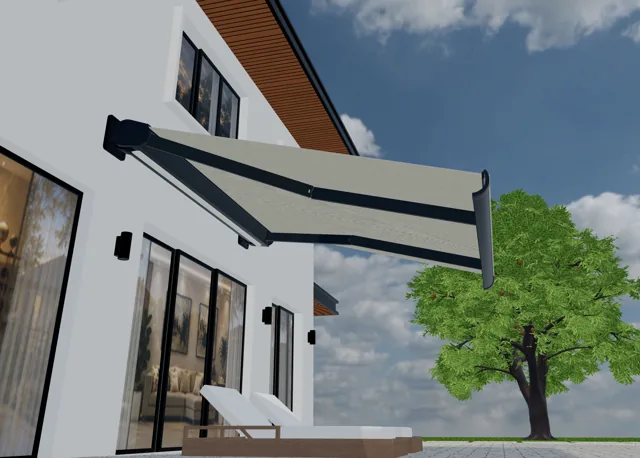
Width and projection
Explore width and projection together, within the sizes your range supports.
For awning manufacturers & dealers
Every detail, made visible.
Bring your awning catalogue to life. Explore fabrics, finishes and lighting in 3D, with an experience built around your products.
A short 3D showcase of a retractable awning beside a modelled house: cream fabric, folding arms, cassette and lighting views.
Let customers explore your awnings in 3D, choose from your catalogue and send your team a clearer quote request.
An awning configurator is software that lets a buyer choose an awning system, dimensions, fabric, frame finish and accessories from a manufacturer's catalogue. A 3D awning configurator connects those choices to a visual model, so the customer can understand the product before requesting a quote. Configurix brings that experience into a sales journey for manufacturers, dealers and installers. Your catalogue defines the available combinations; your sales process defines what happens next. The result is a more specific starting point for a consultation: a selected product with identifiable options, rather than an enquiry that leaves the specification open.
See how a retractable folding-arm awning changes from a compact cassette to an extended canopy. These four views show construction, fabric, example branding and integrated lighting in the same architectural setting. Use them to explore the level of product detail; your own configurator is built from the models, materials and options in your range.
Explore the cassette, folding arms, fabric and lighting in four original 3D views.


Give buyers a clear choice of sizes and construction, shaped by your catalogue.
Explore width and projection together, within the sizes your range supports.
Show the cassette and arm system that belong to each awning model.
Keep the selected dimensions ready for your team’s final site checks.
A useful retractable awning configurator starts with the combinations you can supply. Define the choices for each model so buyers can explore a relevant specification and your team can review the same details.
Width describes the awning's span along the facade; projection describes how far it extends outwards. They are separate inputs. Your dimension tables determine the permitted ranges, increments and pairings, including where a wider awning needs a different arm arrangement.
A cassette awning configurator can show the housing, front bar and folding-arm geometry together. Keep model-specific dimensions and construction options connected, so a change of product family also changes the choices presented to the buyer.
A customer's preferred size is the starting specification. Mounting conditions, final measurements and installation approval still belong to your survey process. Record the selected dimensions clearly so the installer knows what needs to be checked.
Width & projection
Cassette & arm system
Fabric & accessories
| Buyer selects | Your catalogue defines | Enquiry records |
|---|---|---|
| Width & projection | Permitted sizes and combinations | Both selected dimensions |
| Cassette & arm system | Compatible product construction | Model and option references |
| Fabric & accessories | Available finishes and pairings | Selected codes and options |
Material, colour, identity
Bring your awning fabrics, frame colours and branding into one 3D view.
Keep each visual choice connected to the right fabric reference.
Show frame finishes and artwork options from your own range.
Fabric changes the character of an awning. Give buyers a way to compare the collections you offer alongside the cassette, front bar and arms, with enough detail to discuss the combination with a dealer.
Use recognisable collection names and fabric codes, not colour names alone. A cream, striped or textured material should remain linked to its reference when the buyer changes another option or submits an enquiry. This helps the sales team identify the intended specification without guessing from a screenshot.
Define which frame finishes belong to each model and whether the cassette, arms and front bar share a colour. Where your range supports printed artwork, agree its permitted position and scale. The orange canopy shows a Pergola Shop logo as an example of artwork placement.
Screen colours and textures are visual previews. Use physical fabric and finish samples when confirming the final material choice.
The details that complete the awning
Help buyers picture their awning with the motor and lighting options you offer.
Guide buyers to choices compatible with their selected awning.
Show the placement of lighting along the folding arms in 3D.
Help buyers understand how the awning will look and which controls can belong to their selected system. Model these as catalogue choices, with the relevant dependencies agreed before launch.
Motor choice, control method and optional accessories can depend on the model and dimensions. Supply the supported combinations so the selection journey can present the appropriate options. Include sensor or automation choices only where they are part of your range and implementation.
The supplied 3D view shows lighting along the folding arms beneath the fabric. It gives buyers a useful view of placement and appearance. Your implementation should identify which lighting kits fit which products and carry the selected option into the enquiry.
Bring your range and product rules into one consistent sales experience.
Make showroom consultations visual, with a specification to discuss together.
Let visitors explore their preferences before they contact your sales team.
The same product knowledge serves different conversations. Shape the experience around who is choosing the awning, who owns the catalogue and who is responsible for the next commercial step.
Organise product families, permitted dimensions, fabric collections and accessory compatibility into a consistent selection journey. Agree how catalogue changes are reviewed and published, and which options belong to each market or sales channel. This gives your network a common product reference while retaining the distinctions in your range.
Use the 3D view during a showroom or customer consultation to discuss projection, fabric and finish together. Review the selected references alongside your own site notes. The configurator helps make the product choice concrete, while your team retains responsibility for surveying, installation advice and the final offer.
Let prospective customers explore relevant options before they contact your team. Decide which details are needed at the enquiry stage and how the request reaches the correct salesperson or dealer. A clear handoff helps the next conversation begin with the buyer's preferred product rather than a blank specification.
Select the model, size and finishes.
Check the supported combinations.
Add contact details and project notes.
Give your team a specification to follow up.
Turn product exploration into a conversation your sales team can act on. A structured request should connect the selected awning with the buyer's project and the next step in your sales process.
The buyer selects the model, preferred dimensions, fabric, frame finish and accessories. Keep those references together so the design can be understood beyond the 3D view.
Check the chosen combination against the supplied product rules. Where a choice depends on another option, explain what needs to change before the buyer continues.
Agree the contact fields, installation location and project notes needed for the enquiry. Collect enough context for follow-up without making the visitor complete a survey before speaking to you.
Send the agreed specification to the enquiry destination defined for your rollout. Your team can then confirm measurements, discuss installation and prepare the appropriate commercial proposal.
The information your team could receive with a configured enquiry.
If your project includes calculated prices, start with a maintained price list, dimension matrices, accessory costs and commercial rules. Define taxes, currencies, dealer terms and installation treatment before validating sample quotes. A 3D preview alone does not establish a price; the calculation and document outputs depend on the quoting workflow implemented for your business.
Connect the product page, configuration experience and enquiry confirmation. Buyers should recognise the same catalogue and terminology at every step.
Meet buyers on your product pages, with an integration scoped to your site.
Use the language and product terms your customers understand.
Define where requests go and the details your team receives.
A white-label awning configurator should feel like part of your buying journey. Match the product names, interface wording and visual identity to your business, then place the experience where visitors already research your awning range.
Choose a dedicated product page or an entry point from your catalogue. Review the site's technical requirements and mobile layout before agreeing the embedding approach.
Prepare local product terminology, material names, units and enquiry text. Where pricing is included, define regional currencies and commercial rules as part of the same rollout.
Decide who receives each request and which selected details must accompany it. Review CRM or other system connections against your actual tools and the agreed project scope.
Bring one representative model and your sales process. We’ll help define the next step.
Explore the manufacturer implementation guideStart with a representative awning system and a few real selection scenarios. They make it easier to agree what needs to be modelled, which rules matter and how your team will validate the finished experience.
Before release, review representative configurations on desktop and mobile, confirm the recorded references and test the enquiry handoff. Agree who signs off catalogue updates so later product changes remain consistent.
Custom software for manufacturers
We specialize in complex, configurable and made-to-order products. We build custom software around your catalogue, calculations, permissions, sales process and factory workflows.
Awning configurator software
Width and projection · Fabric and frame finishes · Drive options and lighting
Capture the selected product, dimensions and options with each enquiry. Qualify by product fit, project requirements and commercial readiness, then assign the next action to the right salesperson.
New enquiry
Configured product
Product fitQualified
Configured product
RequirementsProposal
Configured product
Next actionLet a configured project continue into a sales consultation, technical review, survey or installation appointment. Connect calendars, responsibilities and reminders to the same customer record.
Map product selections to component codes, quantities, materials and cut lengths. Build the sales or manufacturing BOM your team needs, with revisions and production review rules defined for your products.
| Component | Quantity |
|---|---|
| FRM-01Cassette assembly | 1 |
| PNL-02Fabric panel | 1 |
| KIT-03Arm and drive kit | 1 |
Mapped to your product codes
Apply your own formulas, price lists, dealer margins and approval rules. Generate a quote containing the saved specification, product images, commercial terms and a clear customer approval step.
Quote revision
Carry accepted choices into order lines and assigned jobs. Keep product revisions, required approvals, documents and delivery tasks together so sales and the factory work from the same specification.
Connect accepted orders to deposits, invoice drafts, payment terms and your accounting workflow. Agree which system issues the invoice and how references and confirmed payment status return to the project.
Configured product
Launch a branded configurator in your existing website or a custom sales portal. Connect CRM, ERP, PIM, ecommerce, calendars and accounting through available APIs, webhooks or agreed imports. We define the data, permissions and responsibilities for each connection with your team.
Choose the workflows your implementation needs. We build and validate them against your products, documents and target systems.
Plan your manufacturing configuratorConfigurix provides awning configurator software for businesses that manufacture, distribute or install awnings. This page shows the product experience you can build around your catalogue. It is not a shop for purchasing the individual awning shown in the demonstration.
The demonstration shows a retractable folding-arm awning with a cassette. Open, semi-cassette and other product families need their own models and option rules. We review the intended range and construction differences before agreeing what your implementation will include.
A visualiser helps someone see a product's appearance. A rule-based configurator also connects selections to available catalogue combinations and identifiable product references. Configurix combines a 3D view with the selection and enquiry workflow defined for your business.
No. Selected dimensions describe the buyer's preferred awning. Final site measurements, mounting conditions and installation approval remain with the responsible professional. Your enquiry process can record project notes and identify details that need checking before a final quote or order.
Yes. Your collection references and available finishes can form part of the experience. Supply material references and representative images so the visual model and recorded selection agree. Physical samples remain useful for confirming colour, texture and the final material choice.
Calculated pricing can be included when the project has the necessary price data and commercial rules. Dimensions, accessories, taxes and installation treatment must be defined and tested. The video on this page demonstrates visualisation, not a live price engine.
Branding and localisation can be scoped for your website and target markets. Agree the interface language, product terminology, units, enquiry destination and any regional pricing differences. Website integration is reviewed against your existing platform before the rollout is defined.
Agree a catalogue maintenance process during implementation: who supplies new references, which models or rules change, and who validates the result. A new fabric collection and a new construction system can require different amounts of preparation and testing.
Scope depends on the number of product families, 3D model preparation, rule complexity, languages and required integrations or documents. A representative catalogue and sample sales workflow let us prepare a proposal with defined deliverables rather than assume every project is identical.
Bring one product catalogue, dimension limits, fabric and finish references, and an example enquiry or quote. Explain who will use the configurator and what your team needs to receive. These materials help us discuss your actual product and sales process.
Awning configurator software
Show us your range, your product rules and how you sell. We'll walk through the 3D experience and the path from customer selection to a useful enquiry.